
- Claude AI for business document work is most effective when you give it a specific brief, not a vague instruction like "summarise this".
- Upload PDFs, Word files and text documents directly into Claude and ask targeted questions about decisions, deadlines and gaps.
- Use Claude Projects to store tone-of-voice guidance, service descriptions and audience notes so you stop re-explaining your business from scratch.
- Always verify figures, names, dates and references against your original source material — Claude can and does make mistakes.
- The AI Cyclops runs a CPD-certified Claude Masterclass in Milton Keynes on Tuesday 20 October 2026, from 1:00pm to 4:00pm. Tickets are £69.99 per person.
Drowning in Documents? Put Claude to Work in Your Business
A report you haven't had time to read. A proposal that needs another rewrite. A page of meeting notes that still hasn't become an action plan. If that sounds familiar, Claude AI for business document work is worth a serious look — not as a way to automate everything, but as a practical tool for moving one piece of work forward at a time.
This guide covers the approaches we teach at The AI Cyclops in Milton Keynes, ahead of our next CPD-certified Claude Masterclass. You will find specific prompts, honest caveats and a clear method for getting useful output without cutting corners on the review.
How Claude AI for Business Documents Actually Works
Claude supports document uploads, including PDFs, Word documents and plain text files. That means you can bring the actual source material into a conversation rather than asking Claude to answer from general knowledge about a subject. According to the Claude Help Center, uploaded files are treated as context within that conversation.
The important distinction is between uploading a document and briefing Claude properly. Uploading is the easy part. The brief is where most people leave value on the table.
A more focused prompt for document analysis
Suppose you have a lengthy project report and need to prepare for a meeting. Instead of asking Claude to "summarise this", try:
"Using only this report, identify the decisions we need to make, the deadlines mentioned and any unresolved questions. Refer to the relevant page or section for each point. Where information is missing, say so rather than filling in the gaps."
Now you have a working document to check against the original. The goal is not to avoid reading the report — it is to direct your attention towards the parts that genuinely need it.
Using Claude AI for Business Decisions: Comparing Proposals
A summary tells you what a document says. Your next question should be what you need to examine more closely before making a decision.
Consider two supplier proposals. One looks cheaper — but are they offering the same scope? Are delivery dates comparable? Does either proposal leave something important unexplained? Rather than reading them side by side and hoping you catch everything, try:
"Compare these proposals using the same headings: scope, price, timescale, support and exclusions. Mark anything not stated as 'not specified'. Then suggest five questions I should ask each supplier before choosing."
Treat the output as a working document, not a verdict. Check the figures yourself. Look at the wording behind each conclusion. Follow up directly with suppliers where details are unclear. You remain the decision-maker. The exercise is about preparing a better-informed conversation.
Improving Business Writing Without Losing Your Voice
Claude can draft and edit documents from natural-language instructions, including producing Word files. That makes it possible to work through a draft in conversation, refining it rather than accepting the first result.
The key is starting with your message, your audience and the response you are hoping for — not a generic instruction like "make this more professional".
Editing a customer email
Perhaps you have written a customer email that feels too long. A more useful brief might be:
"Rewrite this email for a customer who is unfamiliar with our service. Keep the meaning and factual details unchanged. Use plain English, a friendly tone and short paragraphs. Make the next step clear. Do not add promises or claims."
Then read it as the customer would. Does it answer their question? Does it sound like your business? Is anything important missing?
Working on proposals and newsletters
- For a proposal: ask Claude to explain the customer's problem before describing your service, and check that the structure reflects your sales process.
- For a newsletter: ask for a stronger opening line and a clearer reason to keep reading — then judge whether it actually delivers both.
Better writing does not always mean more words. Sometimes it means making the right point sooner.
Claude Projects: Stop Explaining Your Business From Scratch
For recurring work, Claude Projects let you keep reference material and instructions together in one place. Information added to a project's knowledge base provides context across conversations within that project — simply mentioning something in a single chat is not the same as adding it to the shared reference material.
Think of a project as a working folder for a specific purpose. A marketing project, for example, could contain:
- Approved service descriptions
- Audience and buyer-persona notes
- Tone-of-voice guidance and examples
- Rules: British English, no invented statistics, no fabricated testimonials
Keep that information current. An outdated service description is not a reliable foundation for a new campaign. The aim is to give your work a consistent starting point — not to remove the need for review.
You can explore this approach and more in our AI learning resources at The AI Cyclops, or see practical examples in our AI in Action showcase.
Build Checking Into Every Claude AI Business Task
Claude can produce incorrect or misleading information, including statements that sound entirely convincing. Anthropic explicitly advises against treating it as a single source of truth. That is not a reason to avoid using it — it is a reason to build checking into the process from the start.
Practical steps to take with every piece of Claude-assisted work:
- Compare important names, figures, dates and quotations with the original source material.
- Ask Claude where a conclusion came from, then inspect that source yourself.
- Before uploading business files, review your organisation's data-handling policies and the account's privacy settings. The UK Information Commissioner's Office provides guidance on data responsibilities relevant to AI tool use.
- For practice tasks, use public documents or examples with confidential information removed.
- Keep original files intact and save new drafts separately.
A useful test: compare the whole process — including your review time — with how you normally complete the same task. Did the result become clearer? Did you identify something worth following up? Would you use the approach again? Those questions matter more than whether the first output looked impressive.
Frequently Asked Questions About Using Claude AI for Business
What can Claude do with uploaded business documents?
Claude supports PDF, Word and text file uploads. You can ask it to summarise content, compare documents, extract key decisions or flag missing information — provided you give it a specific brief. A vague instruction like "summarise this" will produce a general overview rather than something targeted to your needs.
Is Claude reliable enough to use for business decisions?
Claude is a useful thinking tool, but it can produce incorrect or misleading output. Anthropic advises against treating it as a single source of truth. Always verify figures, names, dates and references against your original material before acting on any output.
What are Claude Projects and how do they help with business work?
Claude Projects let you store reference material — such as tone-of-voice guidelines, service descriptions and audience notes — so you do not have to re-explain your business context in every new conversation. The knowledge base persists across sessions within that project.
How do I stop Claude from sounding generic when it edits my writing?
Give Claude your target audience, the tone you want to keep and a clear list of things it should not change or add. "Make this professional" gives it almost nothing to work with. A specific brief about plain English, friendly tone and prohibited claims will produce a much more useful draft.
Where can I learn to use Claude properly for business tasks in Milton Keynes?
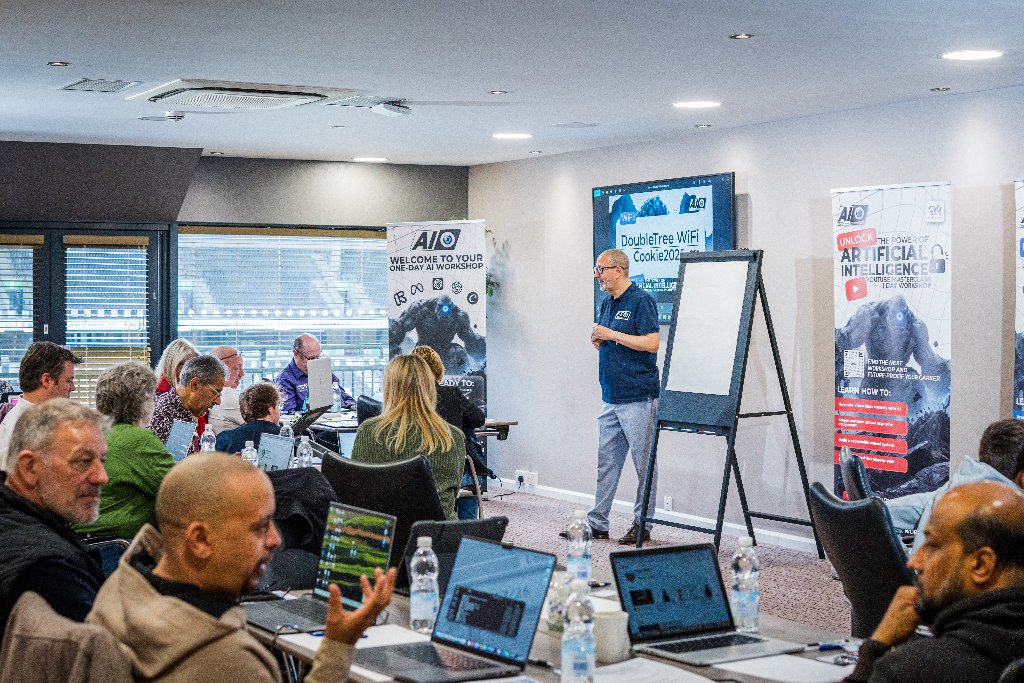
The AI Cyclops runs a CPD-certified Claude Masterclass in Milton Keynes — a focused three-hour hands-on session covering document analysis, writing and practical business applications. The next session is Tuesday 20 October 2026, 1:00pm to 4:00pm, at the South Central Institute of Technology. Tickets are £69.99 per person. Reserve your place on the Claude Masterclass.
Do I need technical experience to attend a Claude workshop at The AI Cyclops?
No. The AI Cyclops workshops are designed for business owners and professionals, not developers. You are encouraged to come with a real task in mind — a report, a proposal or an email — and work through it during the session.
From AI-curious to AI-confident in one day.
Join one of our hands-on AI workshops in Milton Keynes. CPD-certified, beginner-friendly, and packed with real outputs you can use the same week.
Training your team on this?
You might also like
October is Looking BIG for The AI Cyclops
Four AI events in October from The AI Cyclops — masterclass, networking, Bedford Expo and The Great AI Debate. Here's what's on and why it matters.
Read more →
Stop Reading About AI. Start Using It: What’s On at The AI Cyclops This September and October
The AI Cyclops runs CPD-certified hands-on AI workshops in Milton Keynes this September and October. Masterclasses from £69.99, plus a free public debate.
Read more →
Don’t Learn AI Once and Forget It: Keep Building with The AI Cyclops Membership
Left a workshop full of ideas that never quite got used? The AI Cyclops membership gives you the resources, structure and support to keep building practical AI skills.
Read more →