
Stop Booking Generic AI Courses: How to Build a Custom Training Plan for Your Team
- A custom AI training plan starts with specific tasks you want your team to do differently, not a generic list of AI tools.
- Training should use your team's actual weekly work, such as drafting reports or handling routine enquiries, rather than invented demo examples.
- A one-page, plain-English AI policy agreed before training reduces confusion about which tools are approved and what data must never be entered.
- Success should be measured by tangible outcomes, such as time saved on a specific report, not by how many certificates were handed out.
Most businesses book an AI course the way they'd book a fire safety refresher: tick the box, get everyone in a room, move on. The problem is that generic sessions teach generic skills, and generic skills rarely survive contact with a real inbox. A proper custom AI training plan flips the question. Instead of asking "which course should we buy?", you start by asking "what should my team be able to do differently on Monday morning?" That single shift changes everything about how training is designed, delivered and followed up.
At The AI Cyclops, based in Milton Keynes, we've built our live online AI courses around this exact principle, because it's the difference between a pleasant afternoon and a change in how a team actually works.
Why Generic AI Courses Leave Teams Stuck
A generic workshop usually covers the same ground regardless of who's in the room: what large language models are, a tour of a chatbot interface, a few party-trick prompts. It's informative, but it's not built for your business. Staff leave knowing that AI can do things, without knowing how it fits their own desk.
The result is predictable. A handful of enthusiastic people experiment for a week or two, then everyone drifts back to doing things the old way. Nobody's being lazy — the training simply didn't connect to anything they do daily.
If a training session doesn't reference a task your team did last Tuesday, it's unlikely to change what they do next Tuesday.
What Does a Custom AI Training Plan Actually Look Like?
A custom AI training plan is built backwards from outcomes, not forwards from features. Instead of "introduction to AI", the brief becomes something like: "our customer service team should be able to draft a first-response reply to a routine enquiry in under two minutes, using an approved tool."
In practice, this means identifying three or four recurring tasks that eat up time across the team. Common candidates in UK offices include:
- Drafting first versions of reports, proposals or client updates
- Summarising long contracts, policies or meeting notes
- Responding to routine customer or supplier enquiries
- Pulling together weekly or monthly internal updates
Once you know the tasks, the training content writes itself around them. You can see worked examples of this approach, including how different teams have adapted it to their own workload, over on our real examples of AI in action page.
Write Your One-Page AI Policy Before Training Begins
Before anyone opens a laptop for training, there should be a short, plain-English document everyone has read. It doesn't need legal language or ten pages — one page is usually enough. It should cover:
- Which tools are approved for use, and which aren't, with a note to always check the provider's current terms and features before relying on them
- What data must never be entered — client names, financial details, personal information, anything confidential or commercially sensitive
- Who to ask if someone's unsure whether a task is appropriate for AI assistance
- How outputs are checked before they're sent to a client or acted upon
Without this, training creates a new problem: confident staff using tools without boundaries. With it, people can experiment freely because they know exactly where the line is. We help teams draft this policy as part of our AI workshops, so it's ready before the first hands-on session.
Hands-On Practice Beats Demonstrations Every Time
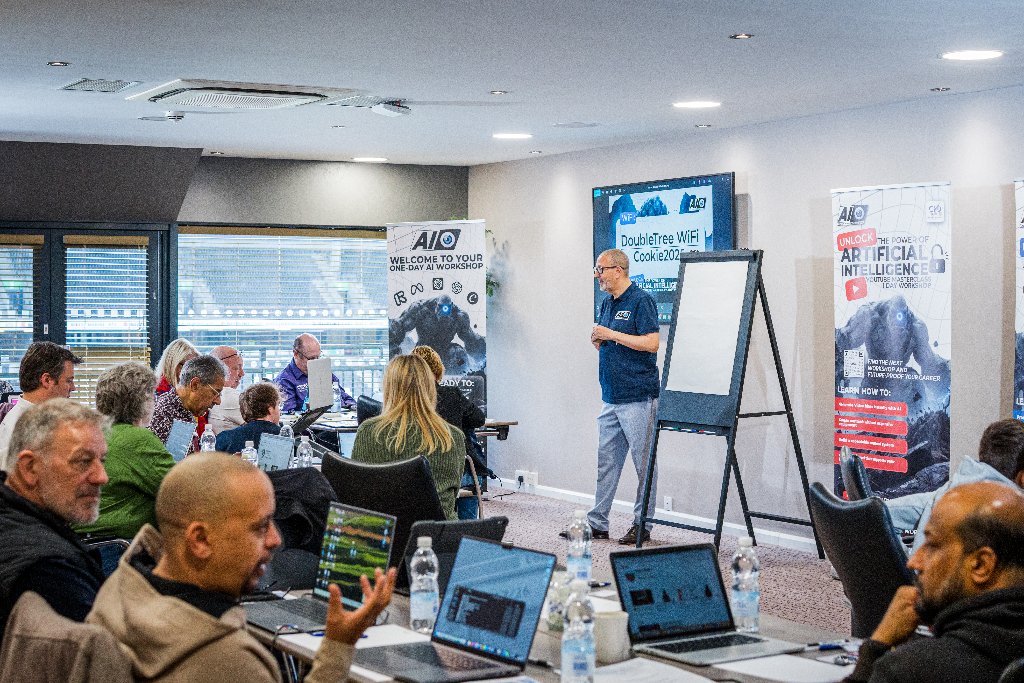
Watching someone else use a tool well is mildly useful. Using it yourself, on your own task, with your own laptop, is where learning actually sticks. A well-run session should spend most of its time with staff typing, not watching a screen.
Here's a simple structure that works for a two-hour session built around report drafting:
- Fifteen minutes: trainer shows one worked example end to end
- Ninety minutes: each person works through their own current report or document, with the trainer moving between screens
- Fifteen minutes: group shares two or three prompts or approaches that worked well
That ratio — roughly ten minutes of watching to every hour of doing — is what separates training that's remembered from training that's forgotten by Friday.
| Generic Workshop | Custom AI Training Plan |
|---|---|
| Covers general AI concepts | Built around your team's real weekly tasks |
| Mostly demonstration | Mostly hands-on practice on real work |
| No follow-up | Structured 30-day check-ins |
| Success measured by attendance | Success measured by time saved and tool adoption |
The 30-Day Follow-Up Plan That Makes Training Stick
Training day enthusiasm fades fast without reinforcement. A simple fix is a 30-day follow-up plan: one short check-in a week, fifteen minutes, same time, same format.
Each check-in should answer three questions:
- What did people actually try this week?
- What worked, and what needs a better prompt?
- What should go into the shared workflow library so nobody has to reinvent it?
By week four, most teams have a small, genuinely useful library of prompts and approaches specific to their own work — summarising a particular contract type, drafting a particular report format, handling a particular enquiry category. That library becomes more valuable than the original training session itself, and it's something teams can keep building long after a course has finished. It's also the kind of practical output we aim for across our training and implementation services.
How Do You Measure Success From a Custom AI Training Plan?
Certificates feel reassuring but tell you nothing about whether behaviour changed. Better measures are concrete and specific:
- Time taken to draft a particular report, before and after
- Number of staff using an approved tool at least weekly, four weeks after training
- Number of entries added to the shared prompt library
- Fewer escalations or rewrites needed on routine enquiry responses
None of these require fancy dashboards. A simple spreadsheet, updated during the weekly check-ins, is usually enough to show whether the custom AI training plan is earning its place in the calendar.
Frequently Asked Questions
How long should a custom AI training plan take to set up?
Most teams can identify their key tasks and draft a one-page AI policy within a week. The training itself can then be scheduled as a single session or spread across a couple of shorter online sessions, depending on team availability.
Do we need different training for different departments?
Usually, yes, at least in part. A finance team summarising contracts has different daily tasks to a customer service team answering enquiries, so the hands-on exercises should reflect that, even if the policy and tool guidance stay the same across the business.
What size team is this suitable for?
This approach works for teams of almost any size, from a handful of people to larger departments, because the structure scales — you're simply running more hands-on sessions or breakout groups rather than changing the method.
Can this be delivered online rather than in person?
Yes. Our live online AI courses are built specifically for this hands-on, task-based format, with staff working on their own laptops during the session rather than just watching a screen share.
What happens if staff aren't sure which tool to use?
This is exactly what the one-page AI policy solves. It should name the approved tools for the team's common tasks, so staff aren't left guessing or defaulting to whatever they've used personally.
How do we keep momentum after the initial training?
The 30-day follow-up plan, with short weekly check-ins, is the main driver of long-term use. Teams that skip this step tend to see enthusiasm fade within a fortnight; teams that keep it tend to build lasting habits.
Worked Example: A Simple Policy and Practice Checklist
Here's a short template you can adapt in under an hour:
- Approved tools: list two or three, checking each provider's current features before relying on them
- Never enter: client names, financial figures, personal data, anything confidential
- Three target tasks: e.g. drafting client update emails, summarising supplier contracts, answering routine enquiries
- Check-in schedule: same day, same time, fifteen minutes, every week for a month
- Success measure: one time-based metric, one adoption-based metric
Teams in Milton Keynes and across the UK who've used this structure tend to find the training sessions feel more relevant almost immediately, because the exercises are their own work, not a stranger's invented example.
If you'd rather not build this plan from scratch, The AI Cyclops can help you put one together and deliver the sessions around it. Get in touch with The AI Cyclops to talk through your team's actual tasks before you book anything. When you're ready to move forward, take a look at our live online AI courses and team learning to see how a custom AI training plan could work for your business.
From AI-curious to AI-confident in one day.
Join one of our hands-on AI workshops in Milton Keynes. CPD-certified, beginner-friendly, and packed with real outputs you can use the same week.
You might also like
Stop Posting Into the Void: How to Turn One Customer Question Into a Week of LinkedIn Content
Stop guessing what to post. Turn one real customer question into a week's worth of LinkedIn content with this practical workflow.
Read more →
The 4-Week Pilot: How to Safely Launch Your First AI Agent
A practical four-week AI agent pilot plan with guardrails, review logs, and a clear Definition of Done for UK businesses.
Read more →
The 60-Second Test: How to Choose Between an AI Avatar and a Real-Life Video
A practical 60-second test to decide between an AI avatar video and a founder-led clip, using real buyer feedback instead of guesswork.
Read more →